One day, I discovered that all threads in the scheduled task thread pool were completely blocked:
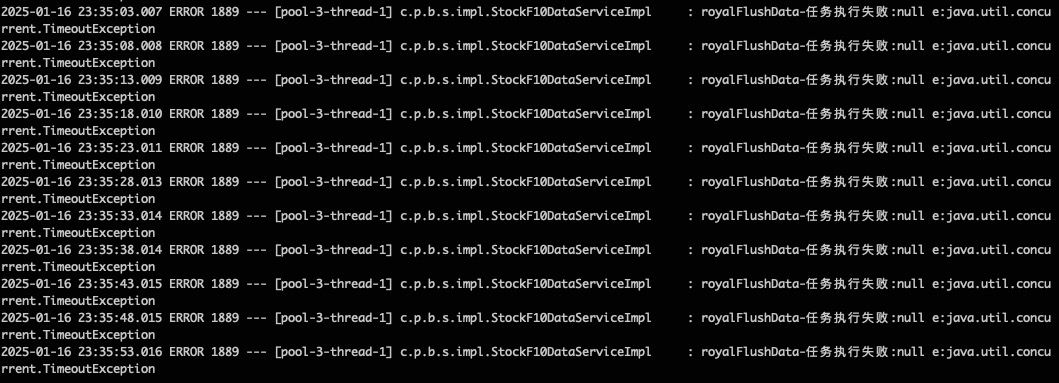
The code is as follows:
1 | // 由于任务规模、执行频次较低,直接无界队列。如果高频任务建议new ThreadPoolExecutor |
When trying to reproduce the issue, I found that Thread Pool 1 disappeared after a while:
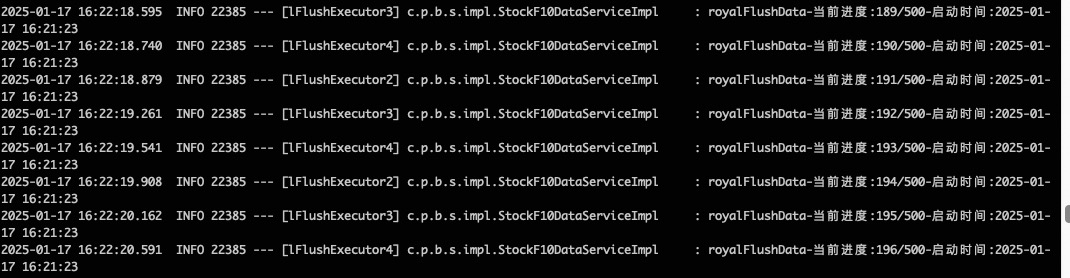
Troubleshooting and Localization
Using ps aux | grep java can locate the process ID. Of course, right after INFO in the log is the process ID, which was 22385.
Use the top -H -p command to find the process:
1 | top -H -p 22385 |
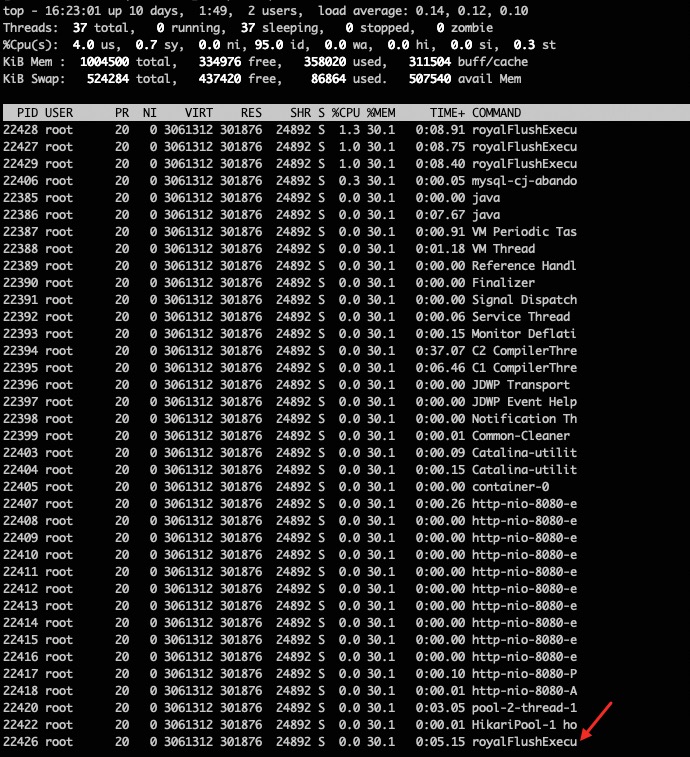
Use jstack to view thread states and stack trace information:
1 | jstack 22385 | grep -C 50 22426 |
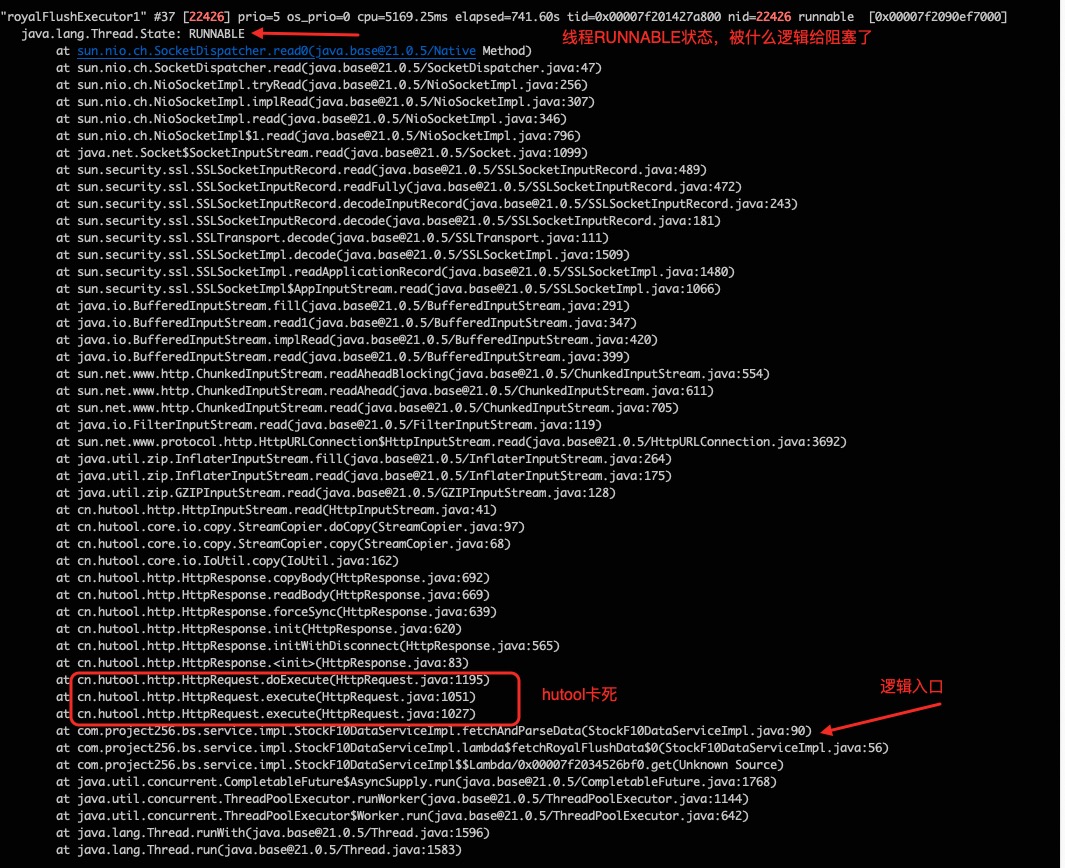
We can see that the thread is in the RUNNABLE state. Subconsciously, one might think a RUNNABLE thread is not executing, but RUNNABLE is actually divided into two states: Running and Ready.
In other words, a thread in the RUNNABLE state might be actively running, or it might not be executing and is waiting for CPU resource allocation.
Therefore, for a thread in the running state, when it runs halfway through a task and the CPU executing the thread is scheduled to do other things, the thread temporarily stops running. However, its state remains unchanged as RUNNABLE because it could be scheduled back at any time to continue executing the task.
Source Code Investigation and Fix
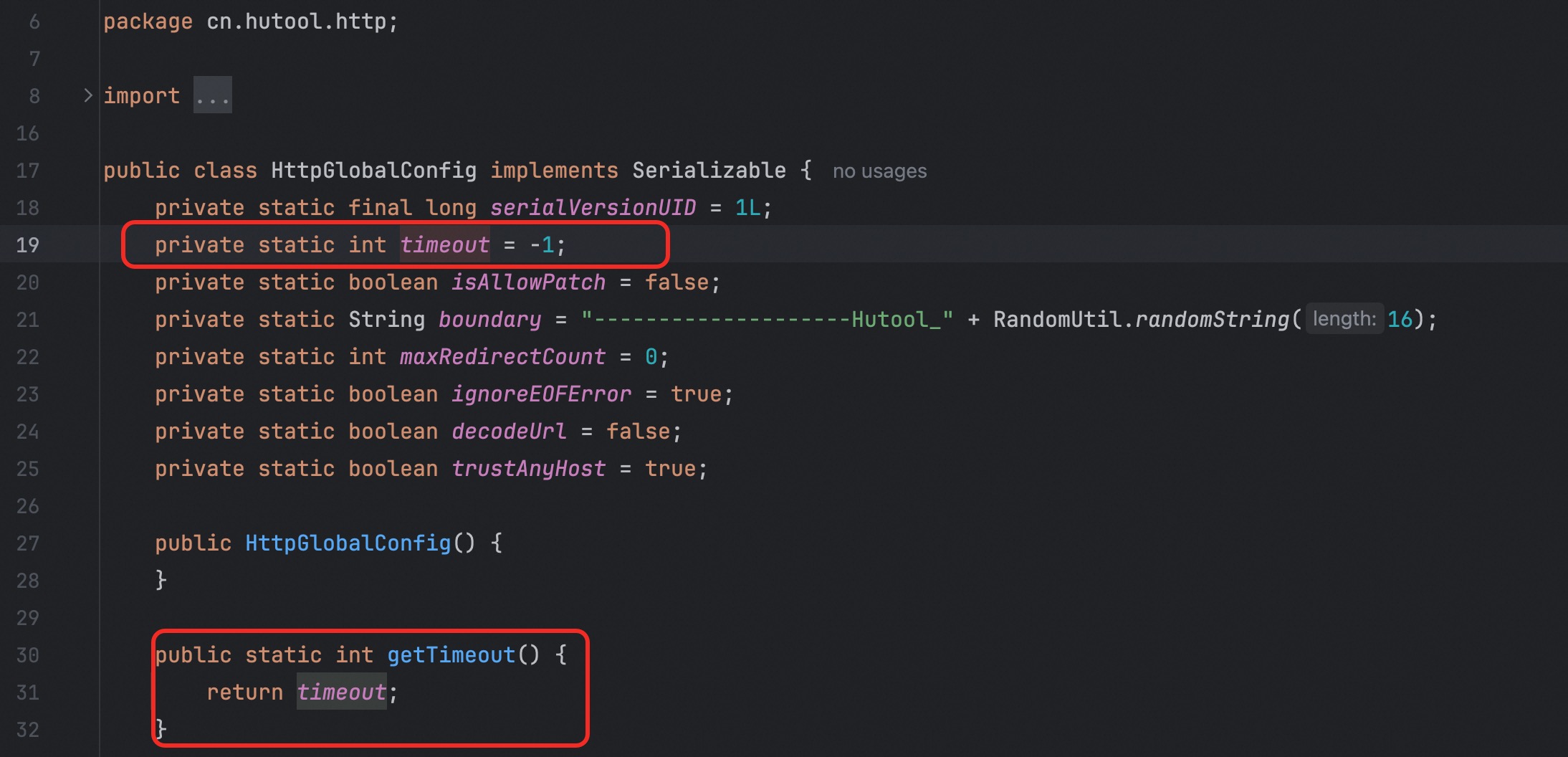
After locating the logic entry point, inspecting the underlying code of the dependent method revealed that timeout was -1, meaning no timeout:
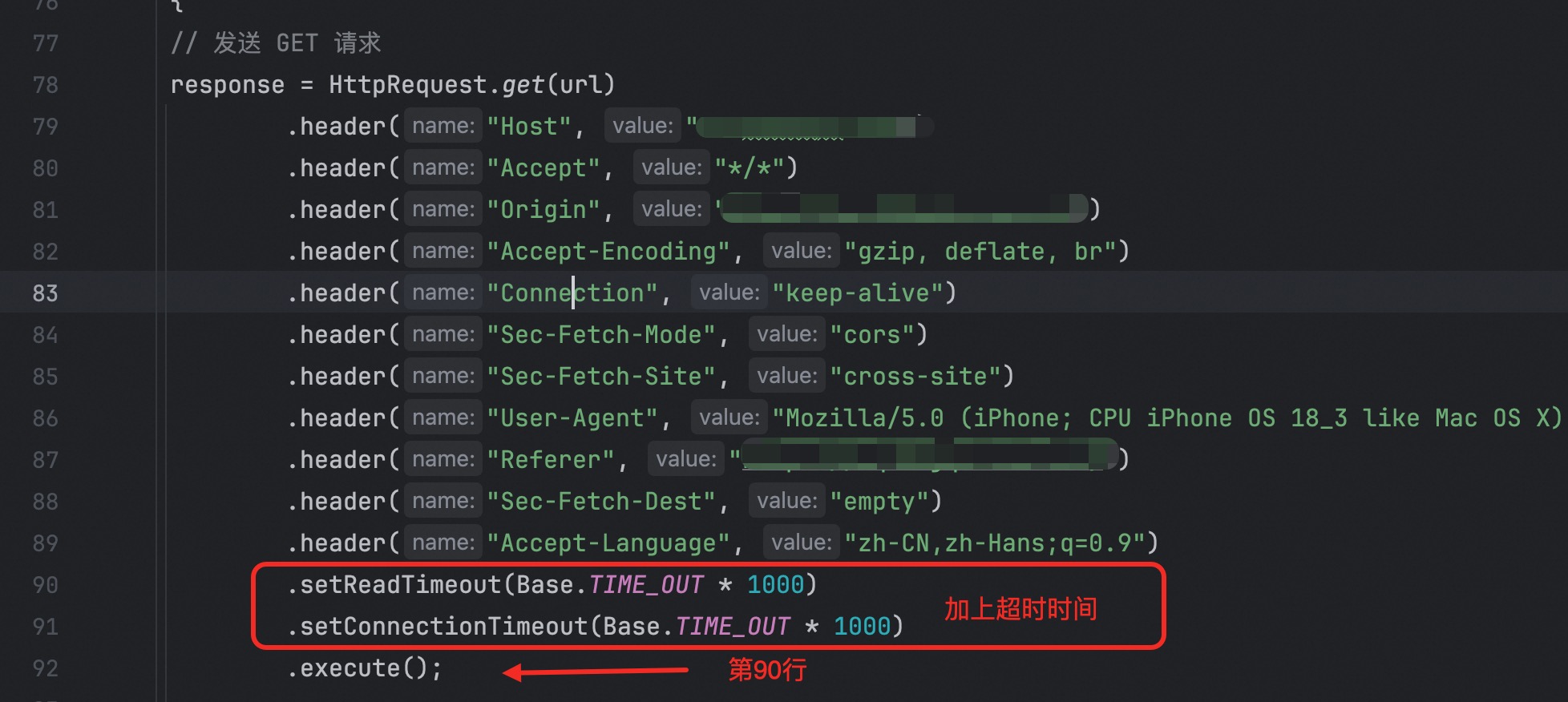
Add a timeout setting above line 90 of the original code:
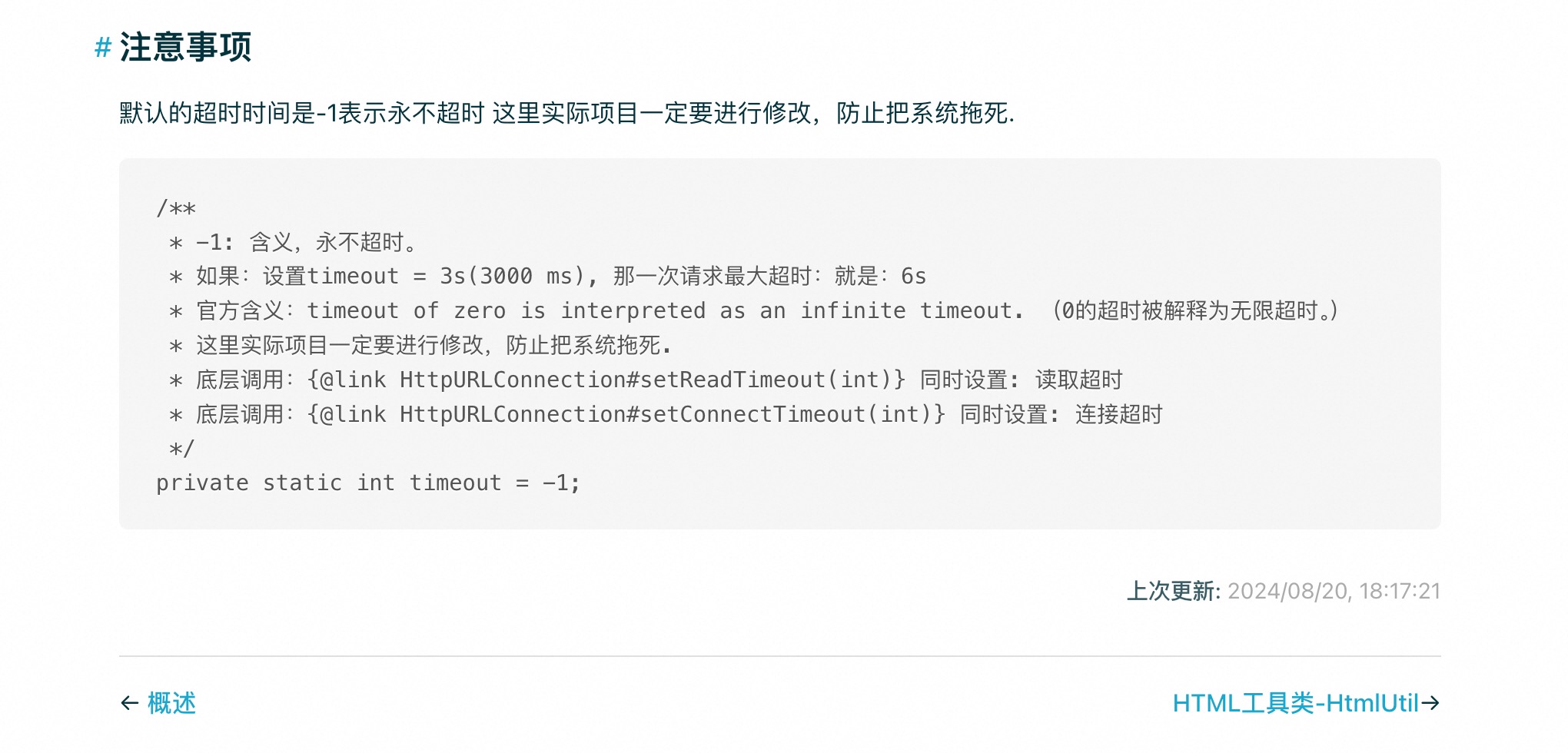
The issue was successfully resolved. In fact, the official documentation also prompts that modifications must be made to prevent bringing down the system.
Summary
- Always set timeouts for remote calls
- When threads in a thread pool are blocked, even if a timeout is configured when retrieving results, it only allows the retrieval logic to proceed—the executing thread remains blocked there
- In the latest versions of Java,
jstackallows querying without converting thread IDs to octal - It is crucial to log thread information—do not casually use
soutto print information