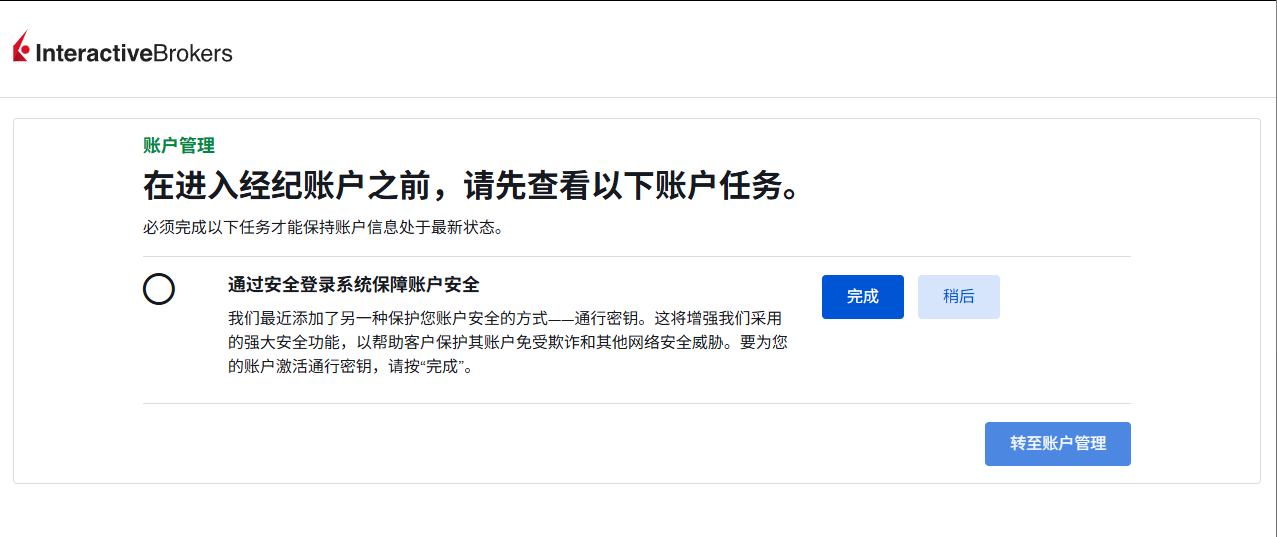
IBKR has recently been aggressively promoting PassKey security keys in the HK and JP regions, requiring a passkey to be configured by August 31 in order to trade.
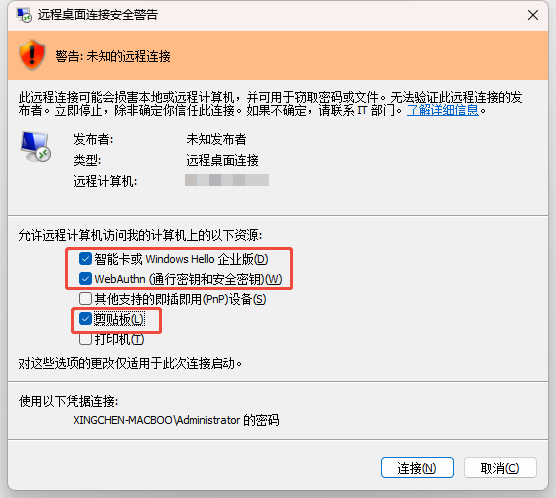
RDP Login
First configure the RDP remote desktop manually, then check the following three boxes when starting it.
Download the Stable Version of IBKR Gateway
Downloading and installing the latest version is not recommended, as it always has some strange bugs. I strongly recommend downloading and installing the stable version.
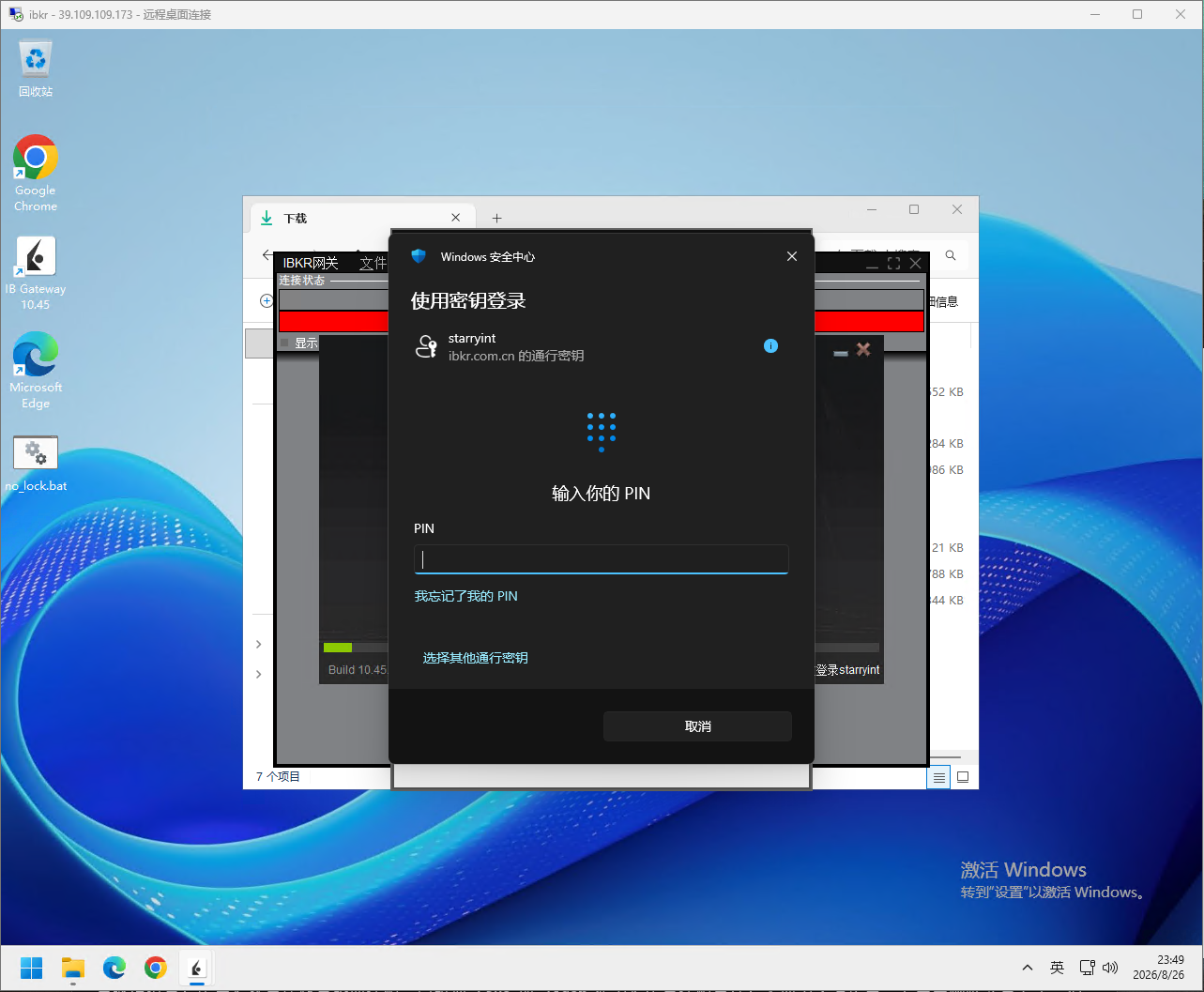
PassKey Passthrough
First, log in to the IBKR website on the local machine, then add the passkey to Windows.
Once configured, you will not need to take out your phone for subsequent logins to the IBKR website, which is somewhat more convenient.
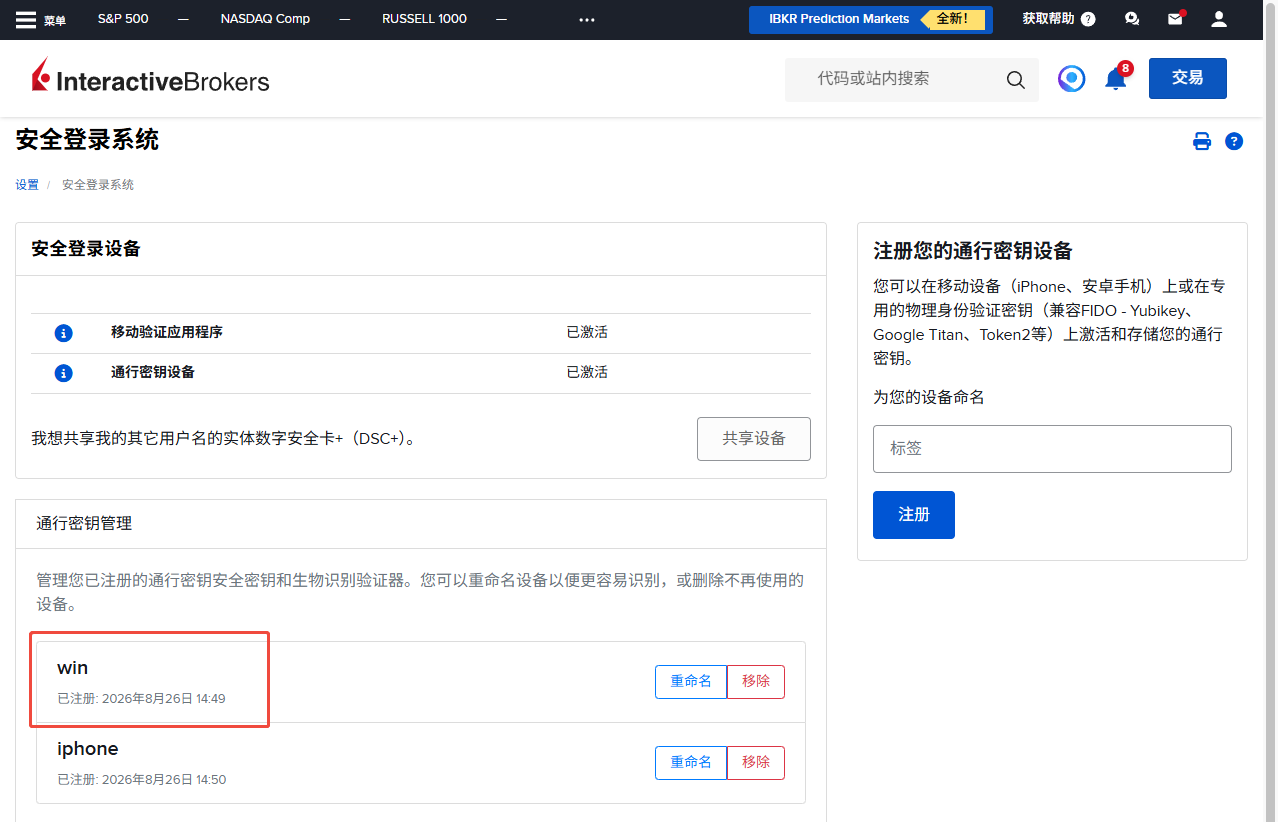
RDP can then invoke authentication on the local machine; enter the password to pass authentication through to the IB Gateway instance on the remote server.
Script
The QuantAda open-source repository includes a startup script for IBC; simply install the IB Gateway stable version and place it in the same folder as IBC.
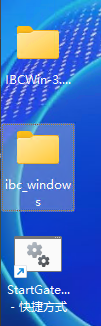
I strongly recommend creating a desktop shortcut to this .bat file so it can be run with a double-click.
IBC was made read-only on September 1, 2026, and its author has retired. If IBC becomes unusable in the future, I will probably move all assets to other brokers such as Futu; the open-source framework currently supports connecting to Futu NiuNiu.
Configuration
- Copy
config.sample.inito%USERPROFILE%\Documents\IBC\config-<实例名>.ini, for exampleconfig-live.ini,config-paper.ini, or any other business name.
If multiple new and old Gateway versions coexist, you can put the configuration in a numeric version subdirectory, such as%USERPROFILE%\Documents\IBC\1045\config-live.ini; the numeric directory name fixes the Gateway version used by that instance. - Fill in
IbLoginIdandIbPasswordin the protected copy. - Each configuration file has a separate settings directory and log directory; their names are derived from the instance name after
config-. OverrideTwsApiPortis blank by default; if you need to specify a port, enter the actual Gateway API port in the instance copy.- In the Gateway API settings, add the QuantAda host to
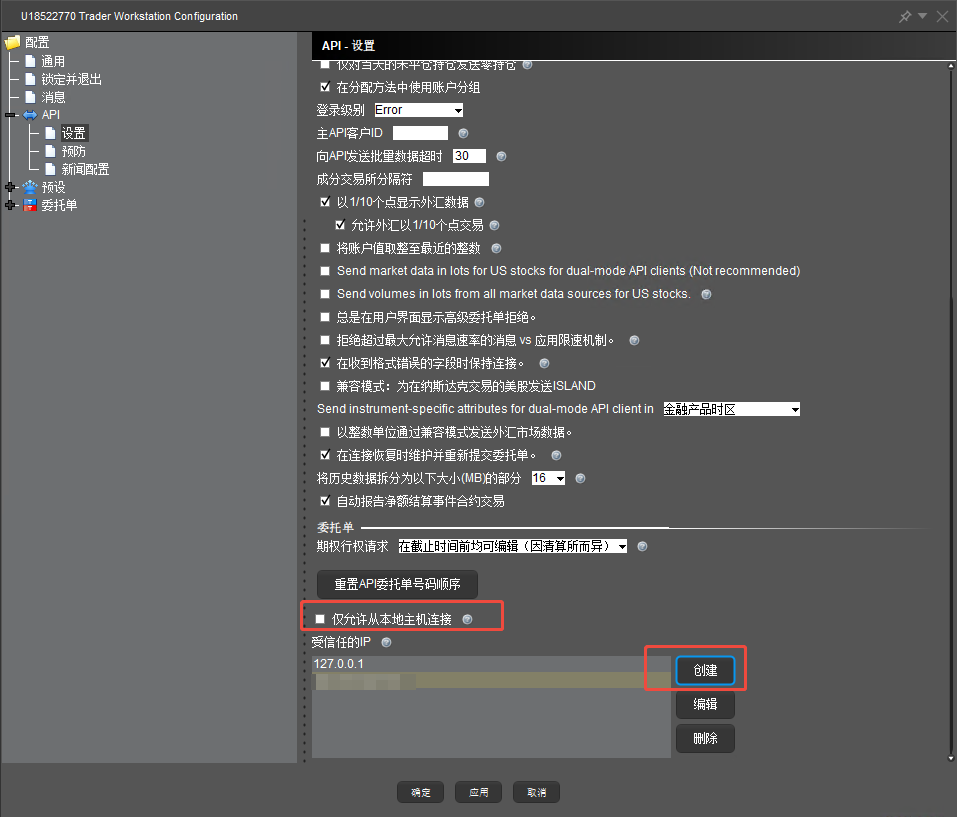
TrustedIPsand restrict firewall sources according to the actual port. The template rejects connections from unknown sources.
Batch Startup
Either of the following directory structures works:
1 | 方案一:把 StartGateways.bat 放入 IBCWin-3.24.2 根目录 |
In option two, the script automatically searches for the only sibling IBCWin-* directory containing scripts\DisplayBannerAndLaunch.bat. If multiple IBC versions exist at the same level, IBC_PATH must be set explicitly to avoid automatically selecting the wrong IBC main program.
Then run:
1 | StartGateways.bat |
The script recursively traverses %USERPROFILE%\Documents\IBC\config-*.ini, creates separate settings/log directories for each file, and launches IBC Gateway in parallel. Files placed directly in the configuration root use IBC_TWS_MAJOR_VRSN or the highest valid version detected automatically; files under numeric directories preferentially use that directory’s version, so old and new versions can coexist. Version detection supports both Jts\ibgateway\<版本>\jars and the legacy Jts\<版本>\jars layouts. Trading mode is determined by TradingMode in each INI; the batch script does not force it to live. The IBC installation root, Gateway installation root, default version, and configuration directory can be overridden with IBC_PATH, IBC_TWS_PATH, IBC_TWS_MAJOR_VRSN, and IBC_CONFIG_DIR, respectively.
First use StartGateways.bat /DRYRUN to inspect the discovered configurations and paths. During normal startup, the script skips already-running instances based on the configuration-file path in the Java command line and rejects duplicate instance keys in the current scan; Task Scheduler should still select “Do not start a new instance if the task is already running.”
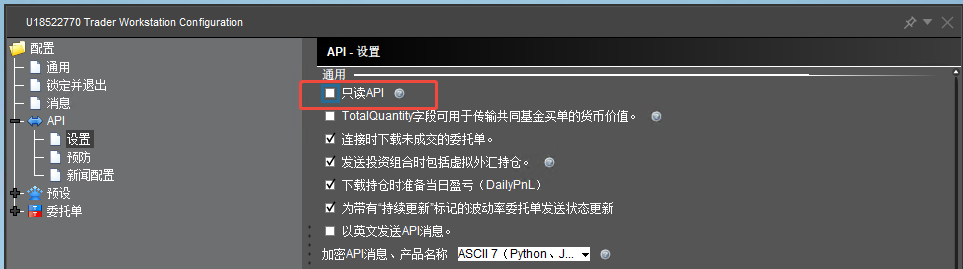
Additional Configuration
Although
Open Ports
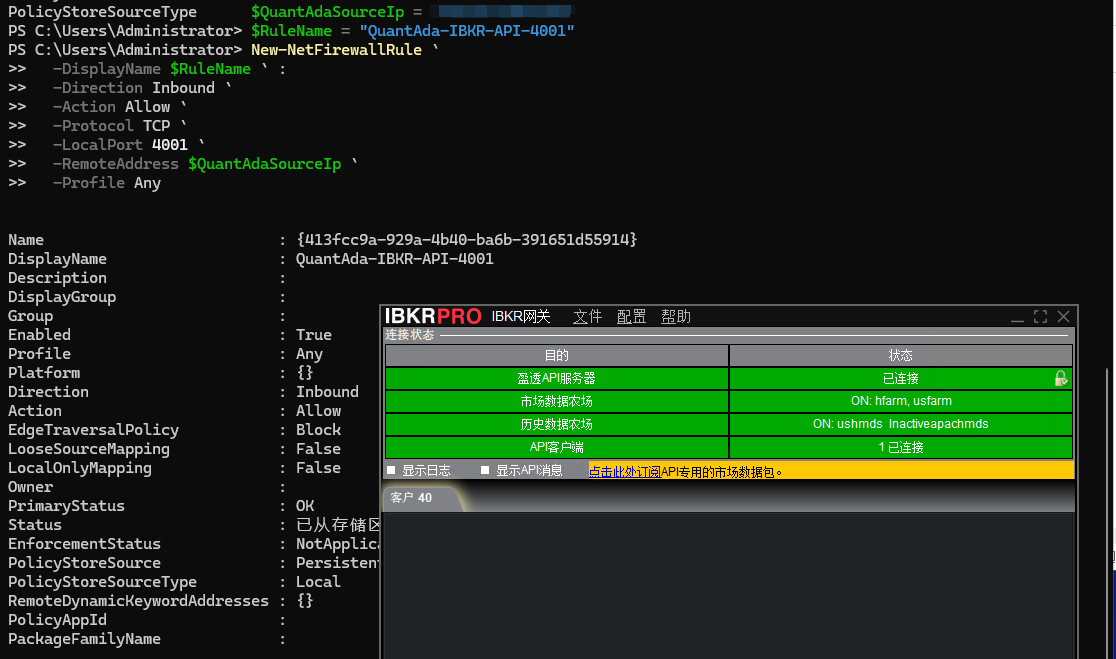
On a Windows server, right-click the Start menu, select “Terminal (Admin),” and run the following command to open port 4001 for a specific IP address.
1 | $QuantAdaSourceIp = "xx.xx.xx.xx" |
Once the API client shows as connected, the configuration is complete.